Parents Mole Holes
Mole Holes Parents' Guide: A Gentle Game for Toddlers and Kids
How Mole Holes works for kids aged about 3 to 7: tickle moles, win jigsaw pieces, finish 12 pictures. No timer, no losing. Settings and screen-time tips.
Mole Holes is a free browser game for toddlers and young children, roughly ages 3 to 7. Little moles pop up out of holes in a grassy field and your child taps them (or clicks them) to tickle them. Every four tickled moles earns one jigsaw piece, and the pieces build up into 12 clay-style pictures. There is no timer, no lives, no score to beat and no way to lose. A round ends when your child presses the big Stop button.
I made it for small kids who want something to tap at that does not shout at them. This guide explains what happens on screen, what the settings do, and a few habits that make it easy to stop when it is time. You can open it right now at hqbg.ai/moleholes.
What your child does in Mole Holes
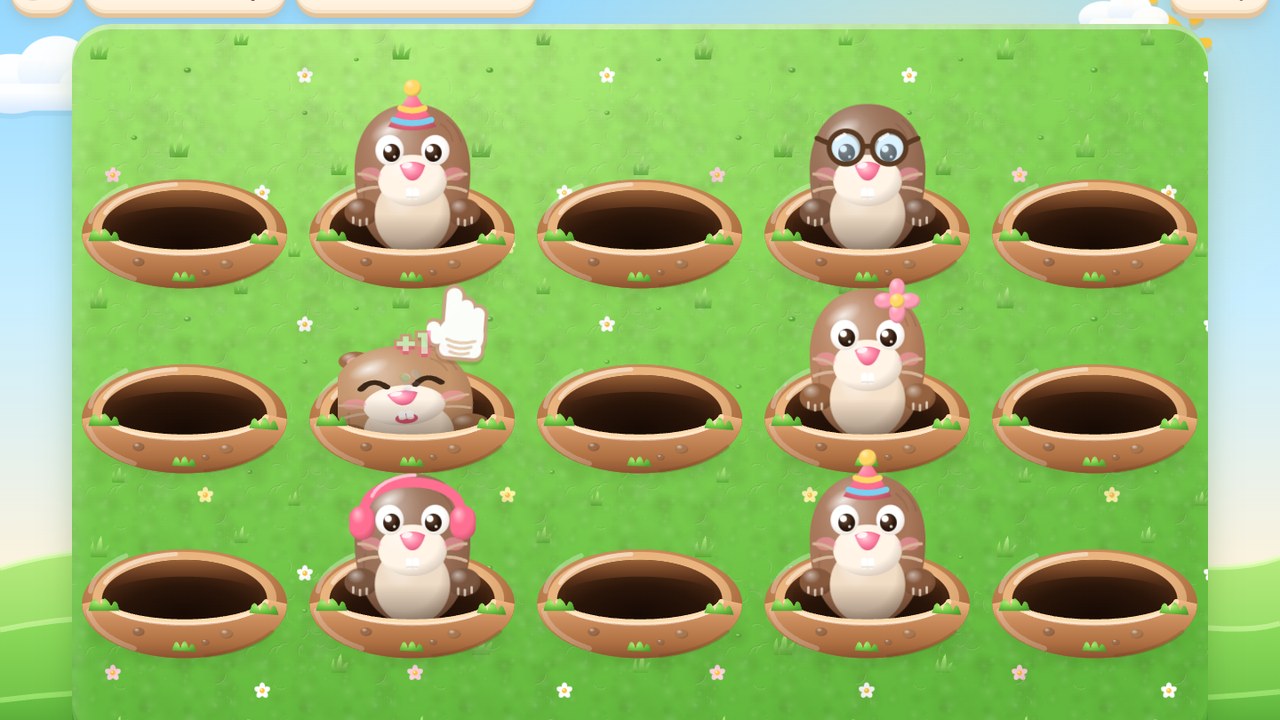
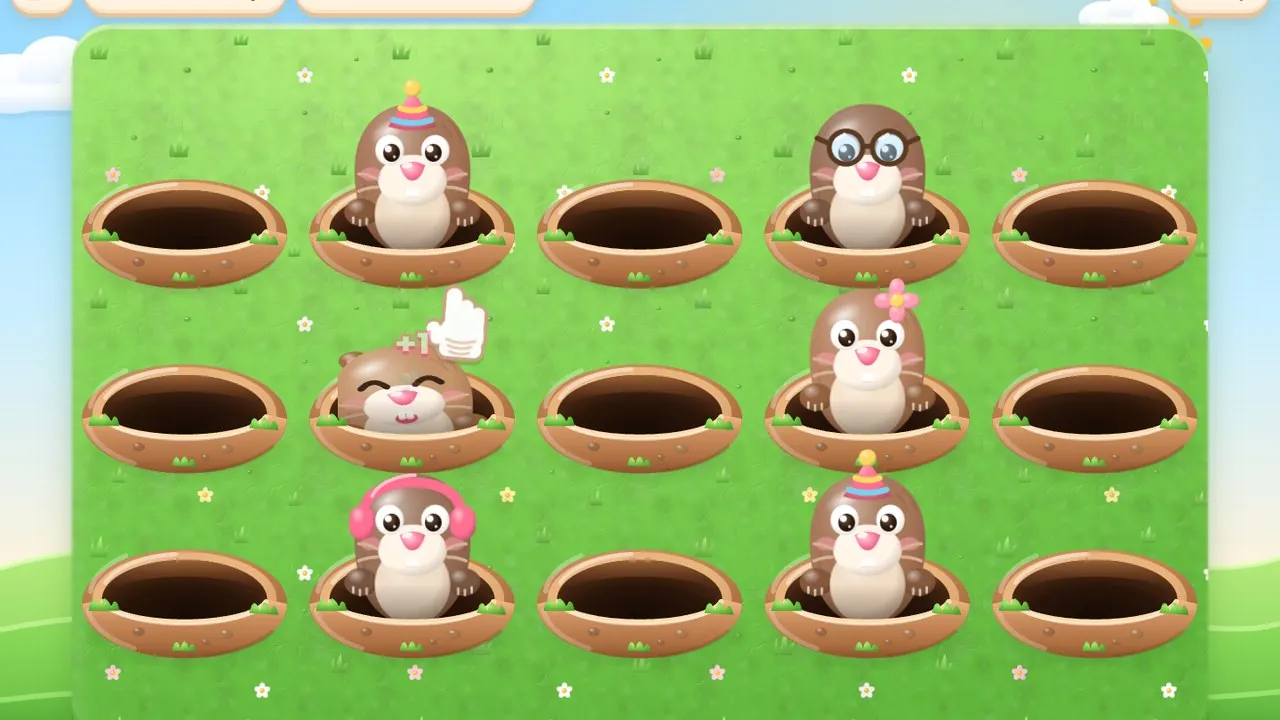
The home screen asks two questions with big buttons: How many holes? and How quick are the moles? Then there is a large PLAY button. Once the game starts, moles in soft clay colours pop up one or a few at a time. Each mole wears something different depending on its hole: a party hat, a flower, round glasses, a blue cap, pink headphones, or nothing at all.
- Tap or click a mole that is up: it wiggles and giggles, a little +1 floats up, and it ducks back down.
- Tap an empty hole: you hear a soft tap sound and nothing else happens. Nothing is taken away.
- Wait too long: the mole ducks down by itself. There is no penalty for missing.
- Press ✋ Stop: you go back to the home screen. Everything earned so far is kept.
At the top of the screen a small bar fills up with each tickle and shows 0/4, 1/4, 2/4, 3/4. When it fills, a short fanfare plays, confetti drops and a message says which picture the new piece belongs to. Now and then a rainbow mole appears with marbled rainbow fur. It stays up a little longer than the others and gives a whole piece in one tickle.
How the jigsaw reward works
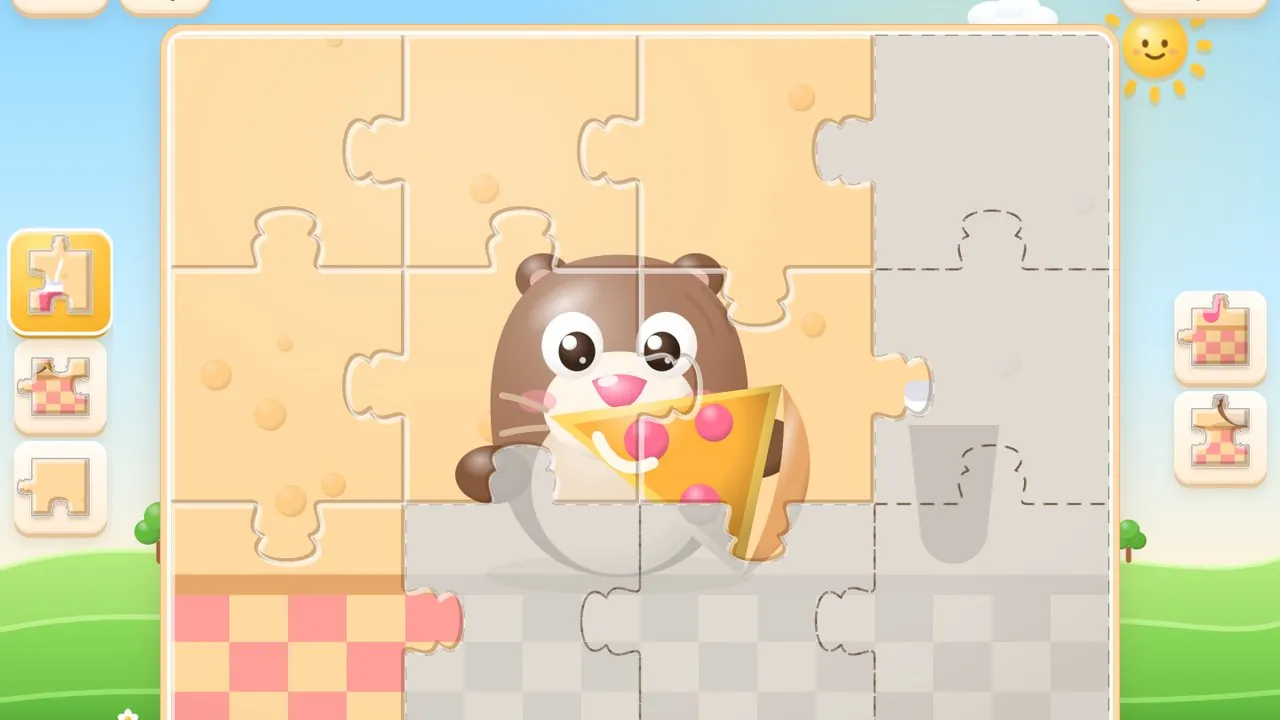
The pieces are the bigger goal. They collect in 🧩 My Puzzles, a shelf of 12 picture cards. Each card shows how many pieces are won and how many are placed. A picture that has pieces waiting gets a gold ring and a little badge with the number.
- 1
Open a picture
Tap a card on the My Puzzles shelf. The picture appears in faded grey with the outline of every piece.
- 2
Pick a piece
Pieces you have won sit in colour in the trays on both sides. Pieces still to win stay grey.
- 3
Tap where it goes
The hint says "Pick a piece, then tap where it goes". The right spot snaps the piece in with a sparkle.
- 4
Try again freely
A wrong spot makes the board wobble and the piece stays picked, so your child can simply try another spot.
The pictures start small. The first one, Birthday Mole, has only 6 pieces, so a child sees a finished picture after 24 tickles. The last one, Wizard Mole, has 30 pieces. New pieces always go to the earliest unfinished picture, so the shelf fills in order. The full list is in the Mole Holes pictures guide.
What it practises, kept honest
Mole Holes is a game for fun. I won't claim it teaches reading or maths. It does give small hands a few useful things to do, over and over, in a calm way:
- Aiming a tap at a target that appears and disappears. On Easy each mole stays up for about five seconds, which is plenty of time.
- Matching shapes. Jigsaw pieces have real tabs and blanks, and the child has to find the spot where the shape and the picture fit.
- Small counting. The 1/4, 2/4, 3/4 bar is a gentle way to see that four tickles make one piece.
- Finishing something. Each picture is a clear end point, and the first ones are short.
Settings: holes, speed and sound
| Speed | How long a mole stays up | Good for |
|---|---|---|
| 🐢 Easy | about 5 seconds | Toddlers and first tries (the default) |
| 🙂 Medium | about 3.3 seconds | Kids who find Easy slow |
| 😃 Hard | about 2 seconds | Older kids, still beatable at 7 |
| 🔥 Grown-ups | under half a second | Parents who want a real challenge |
Faster speeds also bring more moles up at once. How many holes? goes from 10 to 25 on a computer or tablet (12 to start) and from 3 to 8 on a phone (5 to start). Fewer holes means bigger holes, which helps the youngest players.
Sound is made of soft synthesised blips: a pop when a mole appears, a giggly trill when it is tickled, a chime for a piece. You can turn the volume down from the main menu: press ☰ Menu (or Esc on a keyboard), then Settings → Sound effects. Settings also has a full screen switch and a short How to play page.
Playing on a tablet, phone or computer
Mole Holes runs in the web browser, so there is nothing to install. On a tablet, open hqbg.ai/moleholes and play with fingers. On a phone, hold it sideways. If the phone is upright, the game shows a friendly "Turn your tablet sideways" picture until you turn it. On a computer, the mouse pointer becomes a soft white glove and your child clicks the moles.
- Turn on full screen in Settings, or press ⌘ + Enter (Mac) or Ctrl + Enter (Windows). Fewer stray taps land outside the game.
- Progress saves by itself in that browser on that device. A tablet and a phone keep separate shelves.
- Private or incognito windows may forget the shelf when they close.
Screen-time friendly habits
Because nothing ever runs out, the game has no natural ending by itself. These small habits help:
- Use a picture as the stopping point. "Let's finish Pizza Time, then we stop" works well, since the first pictures need only 6 to 12 pieces.
- Let your child press Stop. It is big, it is on every game screen, and nothing is lost.
- Play together. Take turns, or let your child place the pieces while you count tickles out loud.
- Keep the sound low on a shared couch or a quiet evening.
- Leave Start over alone. It sits small in the corner of the home screen and asks "Start over?" first. The safe answer, "No, keep them", is the first button.
If your child likes calm games, older kids may enjoy Pod Box, a slow isopod-keeping game.
What age is Mole Holes for?
It is made for children aged about 3 to 7. Easy suits toddlers, and Hard can still be beaten by a 7-year-old. Grown-ups mode is very fast on purpose.
Can my child lose or run out of time?
No. There is no timer, no lives and no game over. Missed moles just duck down, and every piece earned is kept.
Does Mole Holes work on an iPad or tablet?
Yes. Open hqbg.ai/moleholes in the browser and tap the moles. On a phone, hold it sideways.
Is Mole Holes free?
Yes, it is free to play in the browser. There is nothing to buy inside the game.
How do I reset the puzzles?
Press the small "↺ Start over" in the corner of the home screen and confirm "Yes, erase all". This cannot be undone.
Ready?
Put it into practice
Tickle the moles, win puzzle pieces, finish 12 pictures.